
Table of contents
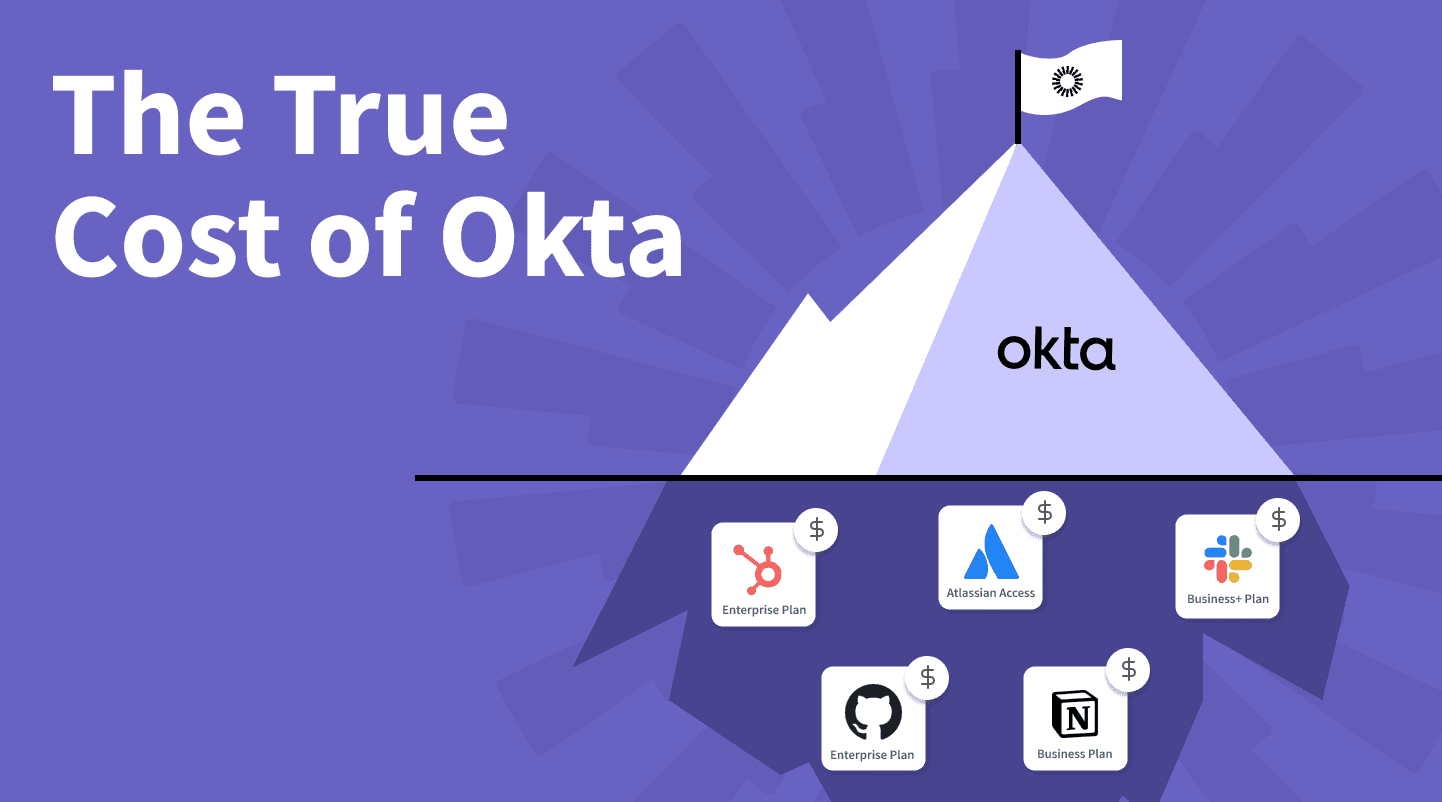
Businesses have been using Okta as an IAM solution, with key compliance features such as SSO, MFA, and lifecycle management. Although Okta’s upfront cost starts low, there are additional costs to consider, including implementation, training, maintenance, and more. But most importantly, you’ll likely need to upgrade your software and/or your SaaS subscriptions.
TLDR:
Okta's sticker price starts at $6/user/month (Starter) and reaches $17/user/month for the Essentials tier (the plan most companies with compliance needs will actually require), but SaaS subscription upgrades and the "SSO tax" can multiply your actual spend by 10x or more.
Expect SaaS vendors to charge 15% to over 100% more per user when you connect a third-party SSO provider, with some tools like HubSpot jumping from $9,600/year to $43,200/year.
A fictional 100-person company using 80 SaaS tools faces a true annual Okta cost of $220,400, compared to the $20,400 sticker price for Okta alone.
Consider sticking with Google Workspace as your identity provider and adding a dedicated provisioning tool for access requests and approvals to get core IAM functionality at a fraction of the cost.
Breaking Down Okta's Pricing
The Okta pricing model is now tier-based, bundling features into four main plans. Published prices start at $6/user/month for Starter and go up to $17/user/month for the Essentials tier, the plan most mid-sized companies will land on. Professional and Enterprise tiers require contacting sales for custom pricing. The tier you actually need depends heavily on which features you require, and most organizations end up needing more than the base plan.
For example, Okta’s pricing tiers include different add-ons with their own prices:
Multi-Factor Authentication (MFA): $6 per month per user for “adaptive MFA.”
Lifecycle Management: $4 per month per user
API Access Management: $2 per month per user
Identity Governance: Between $9 and $11 per month per user (depending on the amount of included flows)
There are also multiple hidden costs when using Okta. For instance, some SaaS vendors charge a premium to connect a third-party SSO provider, known as the “SSO tax.” Also, the time and complexity involved in setting up and maintaining Okta’s features may add to the overall cost.
To illustrate the true cost of Okta, we'll look at a fictional case study of a company Dev Inc. and walk through how the costs stack up. Then, we'll look at the non-monetary costs associated with using Okta, such as increased complexity in provisioning and deprovisioning processes, and the sunk cost fallacy.
Understanding Okta: An Overview of SSO, SCIM, and SAML
You'll want to understand some concepts related to IAM, like SSO, SCIM, and SAML, before digging into Okta's pricing. If you're already familiar with these terms, feel free to skip to the next section.
If not, here’s an overview of the three technologies:
Single Sign-On (SSO) is a user authentication service that allows the use of a single set of login credentials to access multiple applications, so you don't have to remember multiple passwords, which also cuts down on password theft risk.
System for Cross-domain Identity Management (SCIM) is a protocol for the automated provisioning and deprovisioning of user identities across different systems and applications. This saves time by handling user identity management across systems automatically.
Security Assertion Markup Language (SAML) is an XML-based standard for exchanging authentication and authorization data between systems. It's the protocol behind SSO and other security features like multi-factor authentication.
How do SSO, SCIM, and SAML work with Okta?
Okta is an IAM solution that supports SSO, SCIM, and SAML. This allows organizations to use Okta to simplify user authentication, automate user provisioning and deprovisioning, and implement other security features.
For example, Okta can be used to implement SSO across a variety of applications, including Salesforce, Slack, and Notion, allowing users to log in to all of them with a single set of credentials. Okta can also be used to automate provisioning and deprovisioning via SCIM, so that user identities are automatically added and removed from Okta when they are added or removed from the organization.
SSO, SCIM, and SAML are useful for managing user identities and access, but they all come with trade-offs. For example, SSO does not handle authorization, which determines what access an authenticated user has, meaning that organizations may need to implement additional security measures to properly control user access.
SCIM, on the other hand, can be complex to set up. Not all applications support SCIM either, which can lead to inconsistencies in user identity data across different systems.
Finally, SAML is a complex standard that can be difficult to implement correctly. Misconfigurations open up security gaps, and debugging SAML problems is painful because the standard itself is complex.
All three are worth using in the right context, but you should weigh the trade-offs before going all-in.
The True Cost of Okta: A Fictional Case Study
To see the true cost, let's look at what it would cost for the fictional company, Dev Inc.:
Mid-sized tech company with 100 employees.
Uses 80 SaaS tools and needs one place to track all apps and access.
User Identities managed in Google Workspace.
Aims to automate user provisioning and deprovisioning.
Requires request and approval workflows as well as access reviews, due to SOC 2 Type 2 certification.
First, let’s see the cost of Okta itself:
Okta's Essential Suite is coming in at $70 per user per month and also includes the necessary identity governance add-on that will allow you to manage access requests, approvals, and access reviews. For a company of 100 users, that's a starting point of $20,400 per year.

Next, we want to take a look at the SaaS tools that Dev Inc. are using. We know in total they use 80 different tools, and we can assume that at least 40 of them would have the so-called SSO tax. If we just make it as simple as possible and just assume that there's an average of $5,000 per year additional SSO Tax per tool, that is leaving us with a whopping $200,000 additional cost just to upgrade 50% of the tools in order to be able to connect to Okta.
This is close to 10 times the sticker price of Okta, and there’s a high likelihood your cost will be even higher.
Okta Integration Costs Across 5 Typical SaaS Apps
SaaS Tool | Users | Plan Without SSO | Cost Without SSO | Plan with SSO | Cost with SSO | Additional Yearly Cost |
|---|---|---|---|---|---|---|
Slack | 100 | Pro | $8 per user per month | Business+ | $16 per user per month | $9,600 |
Atlassian | 100 | Jira and Confluence | Varies | Access | $4 per user per month | $4,800 |
HubSpot | 50 | Professional | $9,600 per year | Enterprise | $43,200 per year | $43,200 fixed fee |
Notion | 100 | Plus | $8 per user per month | Enterprise | $25 per user per month | $20,400 |
GitHub | 50 | Team | $4 per user per month | Enterprise | $21 per user per month | $10,200 |
* SCIM requires Enterprise package, not included
Put differently, connecting just these five common SaaS tools to Okta adds $88,200 in annual subscription costs, solely to unlock the APIs required for an integration with Okta.
The True Cost of Okta
Item | Assumption / Description | Annual cost (100 users) |
|---|---|---|
Okta Essentials suite | $17/user/month list pricing for Essentials | $20,400 |
SSO Tax on 40 SaaS tools | Average $5,000/year per tool with SSO upgrades (see ssotax.org) | $200,000 |
True Cost of Okta - Total for Dev Inc.: | Okta licenses + SSO‑driven SaaS plan upgrades | $220,400 |
Most teams expect Okta to be the expensive part. It is not.
The real shock comes after implementation, when every new tool requires an enterprise plan just to connect to your identity provider. What starts as a security upgrade quickly turns into a structural cost increase across your entire stack.
How the “SSO Tax” Affects Your SaaS Budget
Let's say you're using a SaaS tool that costs $10 per user per month. If the vendor charges an additional $4 per user per month to use your SSO provider, you end up paying an SSO tax of 40%. When you multiply this by the number of SaaS tools and then by the number of users in your organization, the costs can quickly add up. The SSO tax can range from 6% to 6,000%. Although 6,000% may be on the extreme end, it's not uncommon to see at least a 100% increase from the original price.
On top of the SSO tax, some vendors offer SSO and SCIM only with their more expensive enterprise plans, effectively locking you into higher-priced subscriptions.
Non-Monetary Costs and the Sunk Cost Fallacy
The “sunk cost fallacy” is a common cognitive bias: it occurs when individuals or organizations continue a behavior because of previously invested resources, even if it’s no longer the best course of action. These ‘resources’ may be one of or a combination of:
Time
Money
Effort
For example, you might spend significant time and resources setting up Okta and integrating it with your existing systems, only to realize later that another IAM solution would be cheaper or better suited to your needs. But you might be reluctant to switch because of the resources you've already invested in Okta.
Mitigating the Limitations of SSO and SCIM
SSO and SCIM help, but they come with real trade-offs. For instance, SSO handles only authentication, not authorization, so managing access permissions remains a manual task. Although this is in part solved by SCIM, which automates the exchange of user identity data, it still requires a significant number of engineering hours to set up and maintain.
One possible solution is to stick with Google Workspace and add a dedicated tool for provisioning and access requests/approvals. This can provide the core features of an IdP without the complexity and cost of a full Okta deployment, and without replacing SSO.
Final thoughts
In the end, the true cost of Okta is less about its per‑user sticker price and more about the cumulative impact of SSO tax, mandatory SaaS plan upgrades, and the engineering effort required to run it well. For many mid‑sized teams, especially those already on Google Workspace, sticking with Google as the identity provider and layering on a focused provisioning and access management tool can deliver most of Okta’s IAM benefits at a fraction of the total cost. Before committing, model your own “true cost of Okta” by including SSO premiums, lifecycle management add‑ons, and ongoing admin time so you can decide whether a full Okta deployment is truly worth it for your organization.
FAQs
How much does Okta actually cost per user per month?
Okta's published tiers start at $6/user/month (Starter) and go up to $17/user/month for the Essentials tier. Most organizations with compliance requirements such as SOC 2 or ISO 27001 will need the Essentials tier at a minimum, since that's the only way to get Identity Governance and Lifecycle Management bundled. For a 100-person company, that's roughly $20,400 per year before accounting for any SaaS subscription upgrades. Professional and Enterprise pricing requires contacting Okta's sales team.
What is the SSO tax, and how does it affect your budget?
The SSO tax is a premium that SaaS vendors charge when you connect a third-party SSO provider like Okta. Some vendors require you to upgrade to a more expensive plan just to get SSO or SCIM support. This tax can range from 15% to over 100% of your original subscription cost and applies to every tool in your stack.
Can you use Okta without paying for the SSO tax?
Not entirely. The SSO tax is set by individual SaaS vendors, not by Okta itself. If a vendor requires a higher-tier plan for SSO or SCIM integration, you'll need to pay that premium regardless of which identity provider you use. The only way to avoid it is to choose SaaS tools that include SSO support in their standard plans.
Do you need SCIM if you already have SSO through Okta?
SSO only handles authentication (verifying who a user is), not provisioning or deprovisioning. Without SCIM, your IT team still has to manually create and remove user accounts in each application. If you want to automate onboarding and offboarding, you'll need at least Okta's Core Essentials tier ($14/user/month), which includes Lifecycle Management plus SCIM support from each SaaS vendor. If you also need Identity Governance for compliance, that requires the Essentials tier at $17/user/month.
What are the alternatives to Okta for smaller or mid-sized companies?
One common approach is to stick with Google SSO as your identity provider and add a dedicated tool for automated provisioning, access requests, and approvals. This gives you the core IAM functionality without the cost and complexity of a full Okta deployment, especially if your team is under 200 people and doesn't need every module Okta offers. For teams managing Google Workspace at scale, learning how to use GAM can provide additional automation capabilities for user and group management.